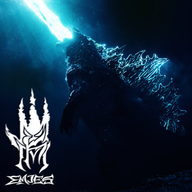
Mastering the Kaiju Multiverse Controls: A Complete Guide for Beginners
Learn the essential Kaiju Multiverse controls to dominate the battlefield. Our guide covers key bindings, combat tips, and movement mechanics for Roblox players.
Understanding the Basics of Combat
To survive in the intense, action-packed world of EMJES’s popular Roblox experience, you must first master the Kaiju Multiverse controls. Whether you are playing as a legendary titan or a new challenger, understanding how to navigate the environment and engage in combat is the difference between victory and defeat. Many players jump into the fray without checking the input settings, but knowing the precise Kaiju Multiverse controls will give you a significant edge during high-stakes battles.
In a game defined by its "Battlegrounds & Fighting" subgenre, responsiveness is key. The game relies on a simple yet effective control scheme that allows for fast-paced, fluid movement. Below, we break down the standard inputs you need to know to command your kaiju effectively.
Standard Control Layout
The game utilizes a standard PC-based control scheme common in high-quality Roblox fighting games. Because the mechanics are designed for precision, there is no need for complex key combinations. Everything is mapped to ensure you can react to incoming attacks in milliseconds.
Why Shiftlock is Essential
For competitive players, using the Control key to toggle Shiftlock is non-negotiable. Shiftlock locks your camera to your character’s facing direction, which is vital when tracking agile opponents or aiming your special abilities. Without it, you may find your camera swinging wildly during intense combat encounters.
Advanced Combat Tactics and Movement
Once you have memorized the basic Kaiju Multiverse controls, you can start focusing on movement optimization. In a game with 15-player servers, positioning is just as important as your raw attack power.
Mobility Tips for Every Kaiju
- Sprint Management: Always use the Shift key to reposition after a heavy attack. Do not stand still, as you will become an easy target for area-of-effect abilities.
- Blocking Rhythm: The 'F' key is your best friend. Community reports suggest that timing your block right before a hit connects can create a brief window of opportunity to counter-attack.
- Strafing: By using Shiftlock, you can circle-strafe around larger, slower kaiju, making it much harder for them to land their heavy hits on you.
Comparing Kaiju Combat Styles
Different kaiju play differently, and while the Kaiju Multiverse controls remain consistent across the board, the way they feel in-hand varies.
According to player experience, those who play as larger, more imposing kaiju should focus heavily on defensive play. Because their hitboxes are larger, they are more susceptible to being combo-locked by faster opponents.
Frequently Asked Questions
What are the main Kaiju Multiverse controls for attacking?
The primary way to attack is by using the Left Mouse Button (LMB). This triggers your basic strike, which serves as the foundation for most combat sequences in the game.
Can I rebind my keys in Kaiju Multiverse?
Currently, the game follows the standard Roblox input schema. While you cannot rebind keys directly within the game menu, you can use the official Roblox Help Center resources to learn how to manage your client-side settings if you require specialized accessibility options.
Why is everyone talking about the Shift key?
The Shift key is essential for sprinting. In a game where map control and positioning are critical, the ability to run away from a losing fight or chase down a weakened enemy is what separates top-tier players from the rest of the community.
Are there secret controls for special moves?
While the basic movement and combat are handled by the core Kaiju Multiverse controls, special abilities are usually tied to individual character kits. Once you select your kaiju, check the in-game UI or the community-driven guides to see which specific keys trigger your unique ultimate abilities.
Staying Updated with the Meta
The game is frequently updated, as seen with the recent additions of new models and reworks. To stay ahead, keep an eye on the official Kaiju Multiverse Official page. The developers at EMJES regularly iterate on the combat system, so even if you feel you have mastered the current Kaiju Multiverse controls, staying informed on patch notes is the best way to maintain your winning streak. Remember, even the strongest kaiju can be defeated by a player with better movement and faster reactions.
Related Guides
How to Master the Kaiju Multiverse Beam Clash: Essential Controls and Combat Tips
Learn how to dominate the battlefield in Roblox's Kaiju Multiverse. Master the beam clash mechanics, essential combat controls, and winning strategies.
Kaiju Multiverse Kill Sounds: Everything You Need to Know About Audio Customization
Learn the truth about Kaiju Multiverse kill sounds, game controls, and how to master combat in this popular Roblox action experience.
Mastering Kaiju Multiverse Ultimates: A Complete Guide to Combat Controls and Strategy
Learn how to master Kaiju Multiverse ultimates and dominate the battlefield with this essential guide to combat controls, movement, and fighting tactics.